
Free YouTube to MP4 Converter
Easily convert YouTube videos to MP4 in high quality. No software or ads required. Just paste the link and download instantly.

Supports YouTube videos, Shorts, podcasts, and audio links.
Please ensure that any files you download do not infringe on the rights of others. Copyrighted music and videos cannot be downloaded here.
Why Use DeVoice's YouTube to MP4 Converter Free Tool?
Enjoy Cross-Device Support
Our converter works on smartphones, tablets, laptops, desktops, smart TVs, and gaming consoles. Convert YouTube videos to MP4 effortlessly without installing any apps.
Convert Videos to 1080p
Get your content in full HD. DeVoice's YouTube to MP4 Converter Free ensures crisp video quality up to 1080p—perfect for entertainment, education, or presentations.
Cloud-Powered Video Conversion
All conversions are performed on our secure servers, keeping your device light and fast. No drain on your battery or storage when converting YouTube videos to MP4.
One-Click MP4 Downloads
Thanks to optimized cloud technology, your downloads complete in seconds. Enjoy fast, smooth access to your MP4 videos without annoying delays.
How to Convert with YouTube to MP4 Converter Free in 3 Easy Steps
You can get MP4 from YouTube in 3 Simple Steps:
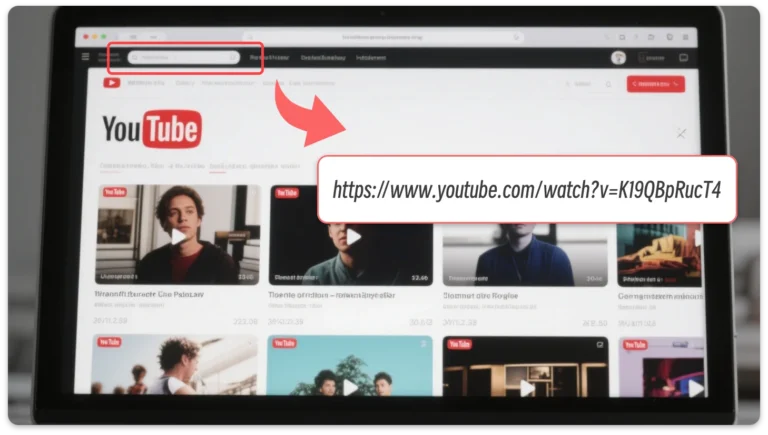
Step 1: Copy Your YouTube Video Link
Find the video you want on YouTube, and copy the video URL.
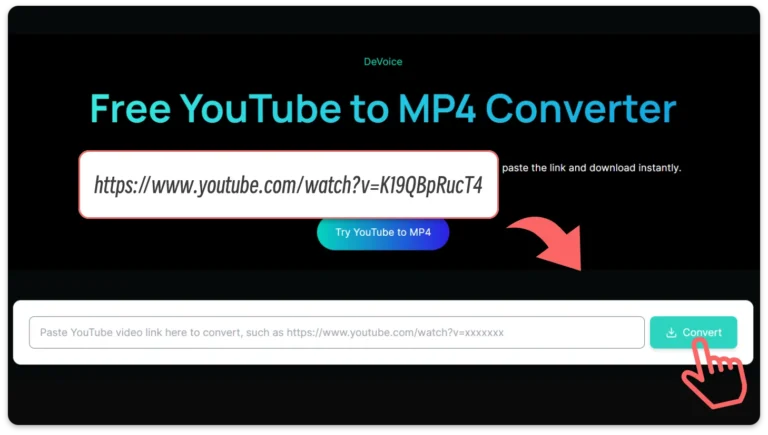
Step 2: Paste It into YouTube to MP4 Converter Free
Go to DeVoice, paste your YouTube link into the conversion box, and hit "Convert".
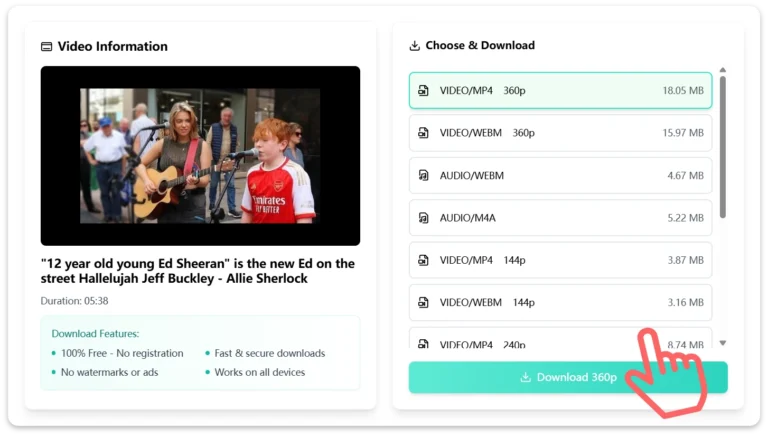
Step 3: Download MP4 Video Instantly
Wait a few seconds, choose MP4 as your format and download your MP4 file directly to your device.
Explore Unique Use Cases for YouTube to MP4 Converter Free
Watch YouTube Videos Offline with YouTube to MP4 Converter Free
Internet isn't always available—especially while traveling or commuting. By converting videos using YouTube to MP4 Converter Free, you can save content like movies, music videos, or tutorials for offline viewing. This ensures uninterrupted entertainment no matter where you are, whether it's on a plane or in an area with poor reception.
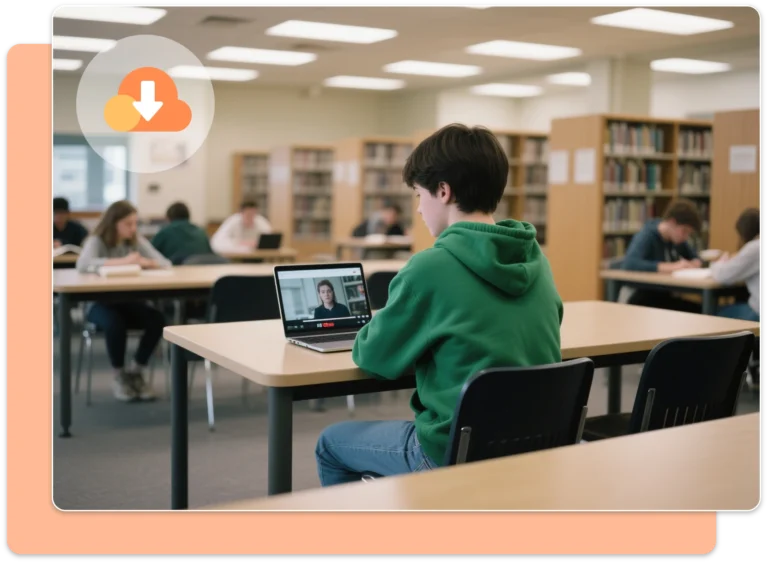
Build Your MP4 Learning Library Using YouTube to MP4 Converter Free
Save valuable educational content permanently with YouTube to MP4 Converter Free. Download lectures, courses, or DIY videos directly as MP4 files and access them whenever needed. No internet dependency, no risk of videos being deleted from YouTube—your personal learning archive stays ready on your device.
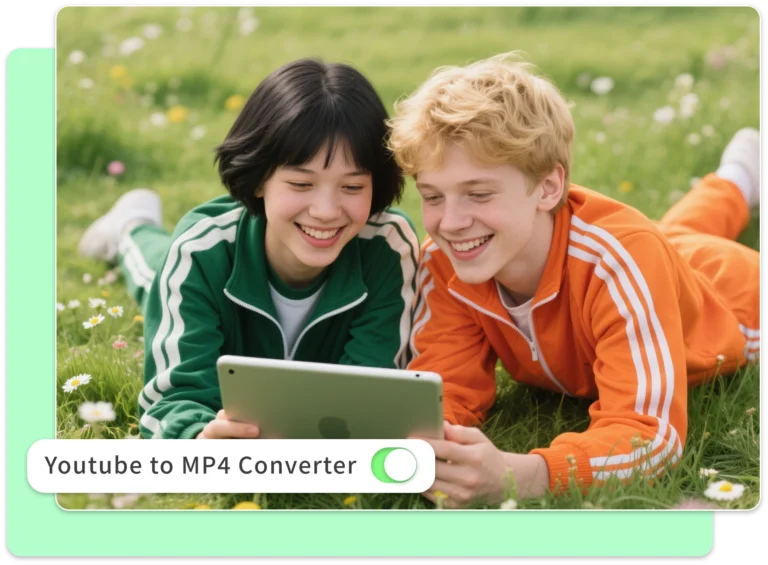
Share MP4 Videos Easily with YouTube to MP4 Converter Free
Instead of sharing YouTube links, use YouTube to MP4 Converter Free to create MP4 files you can send via AirDrop, USB, or messaging apps. This is especially helpful in classrooms, offices, or events where stable internet isn't guaranteed. Share content instantly without worrying about playback issues.

Add YouTube MP4 Clips to Creative Projects
Need clips for a video edit, slideshow, or presentation? YouTube to MP4 Converter Free makes it easy to extract high-quality video snippets you can repurpose in personal or professional projects. From marketing videos to academic presentations, having ready-to-edit MP4 files speeds up your workflow.
Supported Platforms and Devices with DeVoice
DeVoice's YouTube to MP4 Converter Free works perfectly across smartphones, tablets, laptops, desktops, smart TVs, and gaming consoles. Whether you're using Android, iOS, Windows, or macOS, convert YouTube videos to MP4 effortlessly through your browser—no app downloads, no setup, just fast and reliable video conversion on any device.
Android
Samsung, Xiaomi, Oppo, and Pixel all supported.
iOS/iPadOS
Works perfectly on iPhone and iPad—no extra apps required.
Windows & macOS
Download MP4s directly to your music or movies folder.
Smart TVs & Consoles
Access through browsers on Roku, PlayStation, Xbox.
FAQ
Have questions? Find answers here!
Is YouTube to MP4 Converter Free really free to use?
Yes, it's 100% free with no limits, ads, or hidden fees. Convert unlimited YouTube videos to MP4 quickly and easily.
Do I need to download software to convert videos?
Can I convert long or large YouTube videos?
Will my downloaded MP4 videos have watermarks?
Does the converter keep the video's original quality?
Is my privacy protected when using the converter?
Choose the language that suits you for downloading YouTube videos
Turn YouTube links into MP4 files easily — get started for free!
DeVoice empowers you with cutting-edge AI tools for audio creation, transcription, and cleanup. Whether you need music production, content creation, or meeting transcription, we've got you covered.