

Extract Audio from Video Online
DeVoice audio extractor lets you rip high-quality audio from any video file online. Upload MP4, MOV, AVI, MKV, or WEBM and download the soundtrack as MP3, WAV, AAC, or M4A — no software, no quality loss, no watermarks.
Audio Extractor
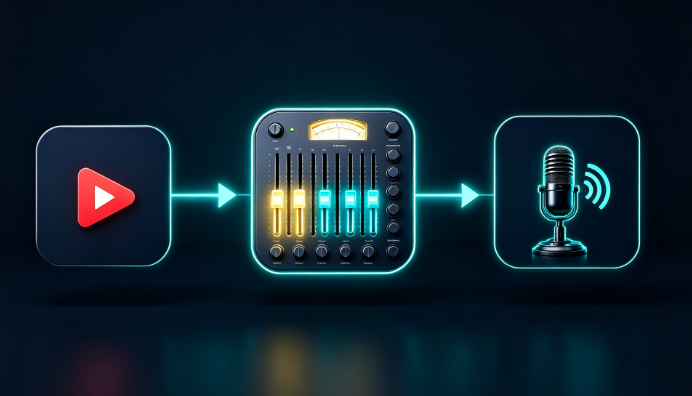
Upload a video, pick a format, extract, then transcribe or enhance.
Drop your video here
Drag and drop, or click to select · MP4, MOV, AVI, MKV, WEBM · Up to 1 hour
What Makes DeVoice the Best Audio Extractor?
Lossless extraction, every major video format, and lightning-fast cloud processing — all in your browser.
Extract Audio from Any Video Format
DeVoice supports every major video format — MP4, MOV, AVI, MKV, WEBM, FLV, WMV, and more. No matter what camera or editor exported your file, the audio extractor reads it and pulls the soundtrack cleanly. No format conversion hoops, no compatibility headaches.
Lossless Audio Quality
Extract audio without sacrificing fidelity. DeVoice preserves the original bitrate and sample rate of your video's audio track — whether it's 320kbps MP3, 24-bit WAV, or high-res AAC. What you hear in the video is exactly what you get — no re-encoding artifacts.
Multiple Output Formats (MP3/WAV/AAC/M4A/OGG)
Choose the output format that fits your workflow. MP3 for universal compatibility, WAV for studio-quality editing, AAC and M4A for Apple devices and streaming, OGG for web and open-source platforms. One extraction, every format you need.
Lightning-Fast Processing
Most videos are processed in seconds, not minutes. DeVoice uses optimized cloud infrastructure to extract audio tracks at up to 10x real-time speed. A 2-hour movie takes under 10 minutes — grab your audio and move on with your day.
Batch Extraction
Extract audio from multiple videos at once. Upload a folder of clips, a series of lectures, or a batch of stock footage, and DeVoice processes them in parallel. Perfect for content agencies, educators, and media teams with large video libraries.
Online & No Installation
No downloads, no plugins, no desktop software. The audio extractor runs entirely in your browser — upload, extract, and download. Works on Windows, Mac, Linux, ChromeOS, and even mobile browsers. Your files are processed securely in the cloud.
Trim & Select Audio Range
Only need a specific section? Use the built-in trim tool to select the exact start and end points before extracting. Pull a 30-second soundbite from a 2-hour interview, or isolate a music cue from a scene — no need to extract the whole file.
Free to Use with No Watermarks
DeVoice audio extractor is free to use with generous daily limits. No watermarks, no hidden fees, no forced sign-up for basic extractions. Premium plans offer longer videos, batch processing, and priority speed.
Audio Extraction for Creators, Educators, and Editors
Trusted by YouTubers, students, video editors, and media teams worldwide.
 Creators
Content Creators & YouTubers
Creators use audio extractor to repurpose video content into podcasts, audiograms, and social media clips. Pull the audio from a YouTube video, edit it in your DAW, and publish as a podcast episode — doubling your content output without recording twice.
Still Recording Screen Audio with a Microphone?
Stop pointing a mic at your speakers to capture video audio. DeVoice audio extractor pulls the original soundtrack directly from the video file — crystal clear, no background noise, no echo. Perfect for sampling music cues, capturing dialogue, or archiving audio from webinars.
Educators & Students
Extract audio from lecture recordings, tutorial videos, and educational content to listen on the go. Convert video lessons to MP3 and review them during commutes, workouts, or downtime. Students and teachers save data, battery, and screen time by listening instead of watching.
Need Audio from Video for Editing or Sampling?
Video editors, sound designers, and producers use audio extractor to isolate dialogue, music, and sound effects from reference footage. Extract the track, import it into Premiere, Pro Tools, or Ableton, and edit with frame-perfect precision — no screen recording, no quality degradation.
How to Extract Audio from Video?
Rip the soundtrack from any video file in three steps — no software, no quality loss.
Upload Video
Drag and drop your video file (MP4, MOV, AVI, MKV, WEBM, etc.), or paste a URL.
Choose Format
Select your preferred output format (MP3, WAV, AAC, M4A, OGG) and optionally trim the audio range.
Extract & Download
DeVoice extracts the audio track in seconds. Preview and download your file.
Frequently Asked Questions
Everything you need to know about extracting audio from video with DeVoice.
How do I extract audio from a video?
Simply upload your video file to DeVoice, choose your preferred output format (MP3, WAV, AAC, M4A, or OGG), and click extract. The audio track is pulled from the video and ready to download in seconds.
What video formats are supported?
Will the extracted audio lose quality?
Can I extract only a portion of the audio?
Is audio extractor free to use?
Extract High-Quality Audio from Any Video Today
Lossless audio extraction from MP4, MOV, AVI, and more. Multiple output formats, batch processing, free to use — no installation required.