
Free YouTube to Transcript Generator

YouTubeTikTokInstagramXFacebook

Supports YouTube, TikTok, Instagram, X (Twitter), and Facebook video links.

Automatic Detection
Separate Speaker
AI Polish
How to Actually Get Better at Math
10m 37s

Mastering Learning Efficiency Proven Strategies for Faster, Deeper, and Smarter Learning
1m 44s
Google Gemini Deep Research Updates are INSANE
6m 51s
A Four-Word Buddhist Teaching for Instant Calm and (Just Maybe) Lasting Peace | Bart van Melik
16m 16s
Transcribe Social Videos

Turn Videos From Any Platform Into Text

YouTube to Text in Action

See How Creators Turn Uploads into Reusable Words

We help professionals across every field save time, create new content, improve accessibility, and simplify their workflow. From marketers and educators to content creators and researchers, transcripts open unlimited possibilities for every industry.

🎬

Turn raw footage into ready-to-publish assets

Stop wasting hours on manual formatting and subtitle syncing. DeVoice bridges raw video and polished multi-platform distribution.
  • Instant subtitle exports in SRT and VTT
  • Smart speaker diarization for interviews
  • Repurpose long videos into blogs and clips
Learn more →
How It Works

How to Use YouTube to Text in Three Steps

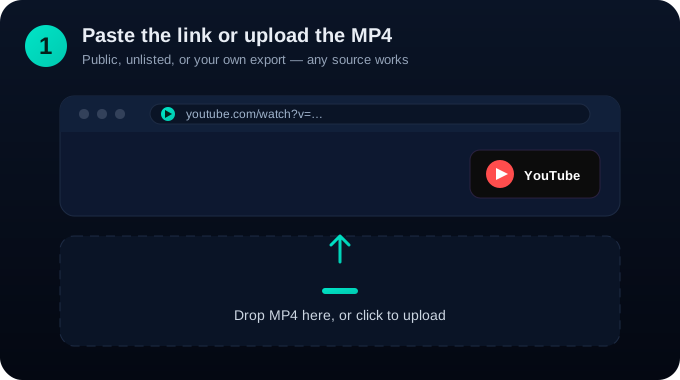
Step 1: Paste the link or upload the MP4

Step 1: Paste the link or upload the MP4

Public, unlisted, or your own export — any source works.
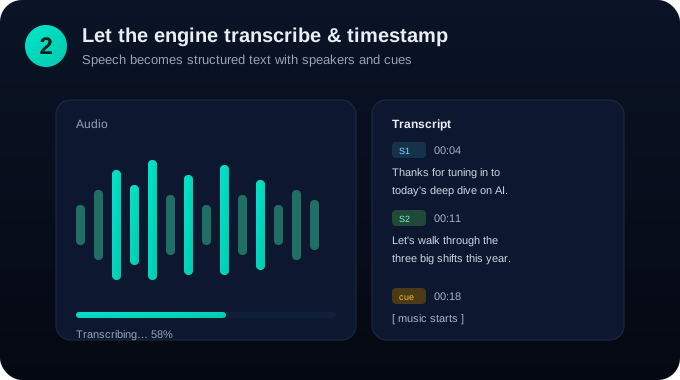
Step 2: Let the engine transcribe and timestamp

Step 2: Let the engine transcribe and timestamp

Speech becomes structured text with speakers and cues.
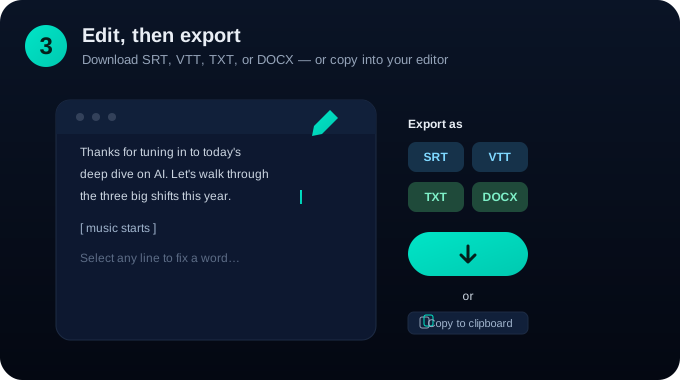
Step 3: Edit, then export

Step 3: Edit, then export

Download SRT, VTT, TXT, or DOCX, or copy straight into your editor.

Why YouTube to Text

The Smartest First Step for Video Teams

Native timestamp alignment

Every line maps back to the exact second, so quotes and clips are easy to find.

Speaker labels

Panel discussions and interviews stay readable with named or numbered speakers.

SEO captions

Text that search engines can read is text that ranks, on Google and inside YouTube.

Chapter-ready export

Drop transcripts into chapter descriptions without re-editing the video.

Bulk playlist processing

Queue a whole channel section and walk away.

Edit without re-rendering

Fix a word in the text, not in the timeline.

Multilingual subtitle drafts

Start a translation from a clean source transcript.

Searchable archive

Find any moment by typing a phrase, not by scrubbing.

Frequently Asked Questions

Does it work on private or unlisted videos?

Yes, as long as you have the rights to the video. Paste your own link or upload the file directly.

What export formats are supported?

How accurate is it with accents and technical terms?

Can I translate the transcript into another language?

Is there a video length limit?

Will my videos stay private?

Start Turning YouTube Videos into Text Today

With YouTube to Text, one upload becomes a blog post, a caption track, a searchable archive, and a translation draft.