
+500 credits
Free when you sign up today
Already have an account?
Free Online Audio Trimmer
Trim any audio file right in your browser. Try it Free!
Audio & Video Trimmer
Cut the start and end off any file. Pick a section, preview it, download it.
Drop your audio file here
Drag and drop, or click to select
Supports MP3, WAV, M4A and more · Works on desktop and mobile
How to Trim Audio Online in 3 Simple Steps
Cut the part you don't need and keep the part you do — no software, no account, no upload queue.
Upload your audio file
Click the upload button or drag and drop your file into the trimmer. MP3, WAV, M4A and other common audio formats are supported.
Select the section to keep
Drag the start and end handles on the waveform to mark the exact part you want. Use the preview button to listen before you cut.
Trim and download
Click "Trim," wait a few seconds, then download your finished audio file. It's ready to use in podcasts, videos, ringtones, presentations, or anywhere else.
Why Use DeVoice Audio Trimmer?
See exactly what you are cutting, trim it without installing anything, then finish it with AI — all in one place.
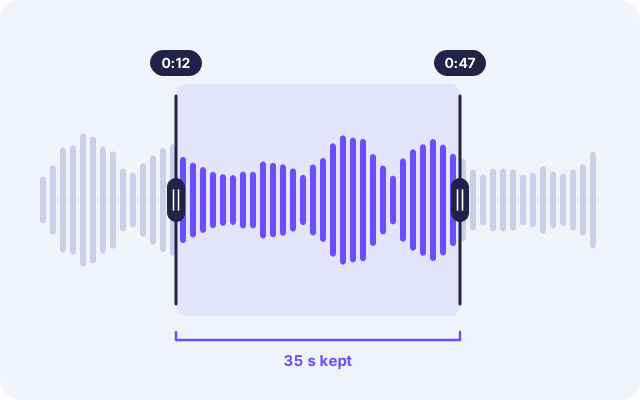
Precise Trimming with a Visual Waveform
Cutting audio by guesswork wastes time. DeVoice shows your track as a waveform, so you can see silence, speech, and music at a glance. Drag the handles to the exact start and end points, then preview the selection before you commit. It takes seconds to remove awkward intros, dead air, or unwanted endings.
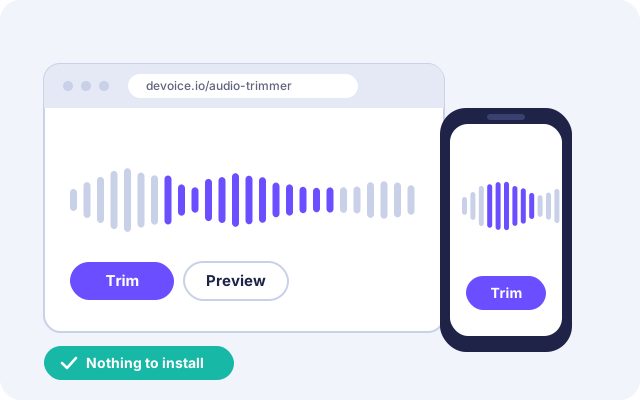
Works in Your Browser, No Installation
Skip the heavy desktop editors. DeVoice Audio Trimmer runs entirely online on Windows, Mac, Linux, iPhone, and Android. Just open the page, upload your file, and start trimming. It's a quick fix for creators, students, podcasters, and anyone who needs a clean cut without learning complicated software.
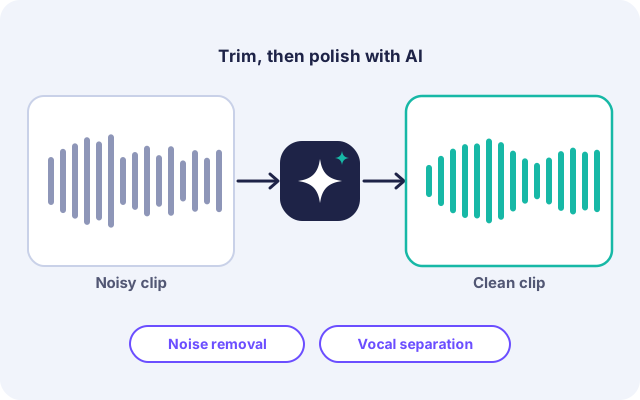
Polish Your Audio with AI After Trimming
DeVoice is more than a trimmer. After cutting your clip, you can use our AI tools to remove background noise or separate vocals from music, all on the same platform. Trim, clean, and finish your audio in one workflow instead of juggling multiple apps.
Frequently Asked Questions
Everything you need to know about trimming audio with DeVoice.
Is DeVoice Audio Trimmer free to use?
Yes, you can trim audio for free on DeVoice. Premium plans are available if you need higher limits or additional AI features.
What audio formats can I trim?
Will trimming reduce my audio quality?
Can I trim audio on my phone?
Is my audio file safe and private?
How is trimming different from cutting or splitting audio?
Ready to Trim Your Audio?
Upload your file and get a clean, perfectly cut clip in seconds. No installation, no complicated editing.