
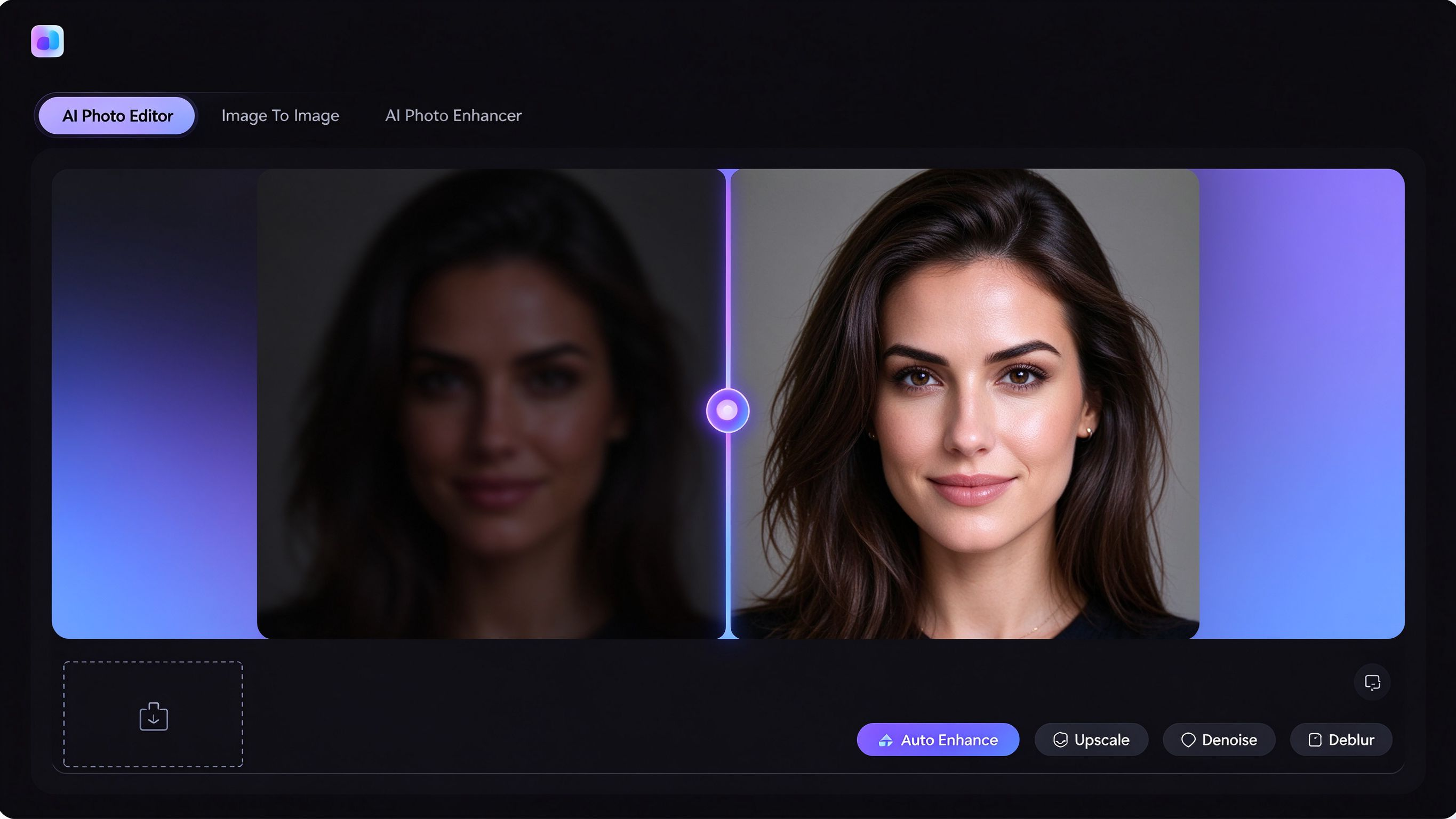
Quick Picks: The best browser-based AI photo editors for e-commerce sellers and content creators are Free AI Photo Editor Online for all-in-one product enhancement and scene generation, Canva for social media post creation, and Photopea for Photoshop-like editing in the browser.
For e-commerce sellers and content creators, photo editing isn't a hobby — it's production. You need clean product shots, polished social media images, and ad creatives that sell. And you need them fast.
Desktop software like Photoshop is powerful but slow to set up and expensive. Subscription tools like Adobe Creative Cloud lock you into recurring fees. What most sellers actually need is a fast, browser-based tool that handles the repetitive work — cleaning up product photos, fixing lighting, applying styles — without a learning curve.
In this guide, we break down the best browser-based AI photo editors for e-commerce and content creation in 2026.
Quick Comparison: Which Tool Fits Your Workflow?
| Tool | Best For | Standout AI Features | Pricing |
|---|---|---|---|
| Free AI Photo Editor Online | Product photo enhancement & scene generation | 4× upscaling, denoise/deblur, image-to-image scenes, background removal | Free — all features, no account |
| PhotoRoom | Product background replacement | AI background removal, scene templates, bulk replacement | Free tier; Pro from $9.99/month |
| Canva | Social media content creation | AI enhancer, background removal, template library | Free tier; Pro from $12.99/month |
| Photopea | Photoshop-like editing in the browser | AI object removal, layers, PSD support | Free (ad-supported) |
Below, we break down each tool in detail.
The Best Browser-Based AI Photo Editors for E-commerce & Content Creators
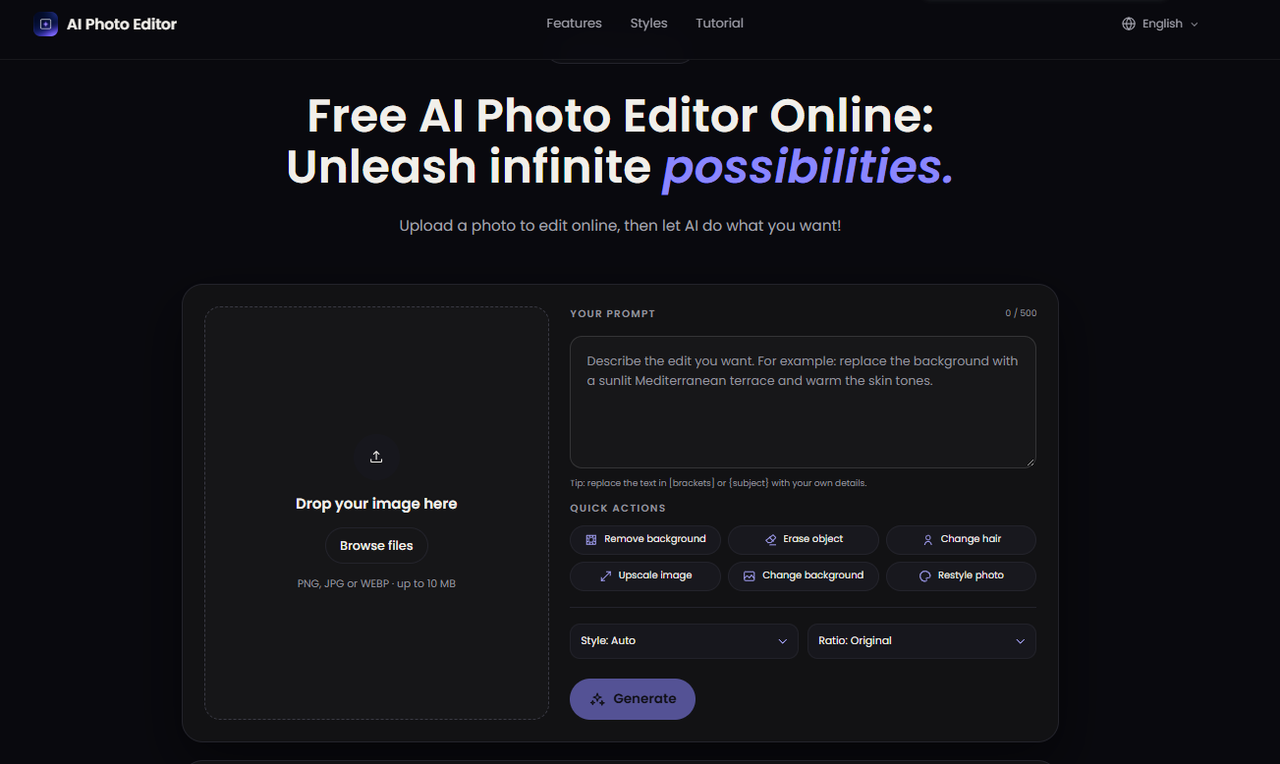
Free AI Photo Editor Online — Best Free Tool for Product Photo Enhancement & Scene Generation
Free AI Photo Editor Online is a browser-based workspace built for sellers who need to clean up product photos and generate marketing visuals without a studio.
The AI Photo Enhancer fixes the most common product photo problems: noise, blur, underexposure, and low resolution. Upload a product shot from your phone and get a crisp, well-lit image ready for your store listing in seconds.
The Image To Image feature is where it gets interesting for e-commerce. Upload a simple product photo and place it into a beach scene, a studio setup, or a lifestyle kitchen. The AI generates the context and lighting automatically — no photographer, no studio rental, no props needed.
For content creators, the same workflow works for social media: turn a product photo into an ad creative, a hero image, or a scene variant for A/B testing.
Key AI Features
- 4× product photo upscaling for print and large display
- AI denoise and deblur for phone photos
- Image-to-image scene generation (beach, studio, kitchen, lifestyle)
- One-click background removal
- Before/after comparison slider
- 1K / 2K / 4K output resolution options
Pros
- Completely free — no sign-up, no watermark, no daily limits
- Three tools in one workspace (enhancer, editor, image-to-image)
- No studio or photographer needed
- 4K output included
Cons
- Not a layer-based design tool
- No batch processing (yet)
Pricing: Free. All features, all resolutions, no account required.
PhotoRoom — Best Browser-Based Tool for Product Background Replacement
PhotoRoom is built specifically for e-commerce sellers. The AI background remover isolates products — including tricky edges like glass, fur, and hair — in seconds, then lets you drop the product onto a white background, a lifestyle scene, or a custom color.
It's particularly useful for sellers who need consistent product catalog images across hundreds of SKUs.
Key AI Features
- AI background removal for products
- Scene templates (studio, lifestyle, seasonal)
- Bulk background replacement
Pros
- Purpose-built for e-commerce
- Fast background removal
- Good edge detection on tricky products
Cons
- Free tier has export limits
- No image-to-image scene generation
- Subscription required for bulk features
Pricing: Free tier available. PhotoRoom Pro starts at $9.99/month.
Canva — Best Browser-Based Tool for Social Media Content Creation
Canva remains the go-to tool for content creators who need to turn photos into polished social media posts. The AI photo enhancer cleans up lighting and color, the background remover isolates subjects, and the template library means you can go from raw photo to published post in minutes.
For creators who post daily across Instagram, TikTok, and Xiaohongshu, this speed is the main value.
Key AI Features
- AI photo enhancer
- Background removal
- Social media templates for all platforms
- Text and graphic overlay tools
Pros
- Huge template library
- Integrated design tools
- Easy to learn
Cons
- Free tier limits AI features
- Watermark-free exports require Pro
- Not suitable for high-end product retouching
Pricing: Free tier available. Canva Pro starts at $12.99/month.
Photopea — Best Free Browser-Based Photoshop Alternative
Photopea is a free, browser-based image editor that mirrors Photoshop's interface and functionality. It supports layers, masks, smart objects, and even PSD files. The AI object removal and healing tools handle basic retouching tasks.
For sellers who know Photoshop but don't want to pay for the subscription, it's the closest free alternative.
Key AI Features
- AI object removal
- Layer-based editing
- PSD file support
- Healing and clone tools
Pros
- Completely free (ad-supported)
- Photoshop-like interface
- Supports PSD files
Cons
- No AI enhancement or upscaling
- No image-to-image generation
- Ad-supported free version
Pricing: Free (ad-supported). Premium ad-free version available.
How We Tested and Evaluated These Tools
We evaluated each browser-based AI photo editor based on how well it serves e-commerce sellers and content creators:
- Product Photo Quality — We tested each tool on a set of product photos — a phone-shot product on a white background, a dark lifestyle shot, a grainy old photo — and compared results for sharpness, color accuracy, and naturalness.
- Speed to Publish — We measured how quickly a user can go from upload to export-ready image. Tools that require account creation, onboarding, or multiple steps scored lower.
- Cost for Commercial Use — We evaluated whether the free tier is genuinely usable for commercial work, or if hidden limits make it useless for sellers.
- Workflow Integration — We looked at whether each tool handles multiple steps (enhance, remove background, generate scene) or only a single function.
FAQs
What is the best free AI photo editor for e-commerce product photos?
Free AI Photo Editor Online is the most complete free option for product photo enhancement, background removal, and scene generation — all in one browser workspace with no watermark.
Do I need a studio to create product photos?
No. With image-to-image AI tools, you can upload a simple product shot and place it into a beach, studio, or kitchen scene. The AI generates the lighting and context automatically.
Can I use these tools for social media content?
Yes. All the tools in this guide are suitable for social media content creation. Free AI Photo Editor Online and Canva are particularly strong for turning raw photos into polished social media visuals.
Are free browser-based AI photo editors good enough for professional use?
For most e-commerce and content creation workflows, yes. The main gap is in advanced features like batch processing and RAW editing — for those, professional desktop software is still needed. But for the 80% of daily editing tasks, free browser tools are now production-ready.